Law firm software for Sri Lanka

Describe it. AI drafts it. Your client signs it.

LawDesk is case management software for lawyers in Sri Lanka. Write legal documents with AI, get them signed online, and keep every case, court date and payment in one place.

Free trial · No credit card needed · Prices in LKR

15 AI tools built in
4 AI assistants
6 Tabs in every case file
24/7 Online booking
LKR Prices in rupees
The problem

Your case file isn't lost. It's in five places.

WhatsApp messages, emails, Word files, Excel sheets and paper files. Moving between them takes time you can't bill.

  1. Typing the same thing again

    Every new agreement starts from an old one. You change the names and dates by hand.

  2. Waiting for signatures

    You email a document and wait days for it to come back signed.

  3. Fees kept somewhere else

    Fees, invoices and payments are not kept with the case they belong to.

LawDesk keeps all of it with the case.

Main features

Five features that save the most time

LawDesk does the everyday work of a law office. These five save you the most hours.

01 Most used
Smart Forms · E-signature

Write, sign and save documents

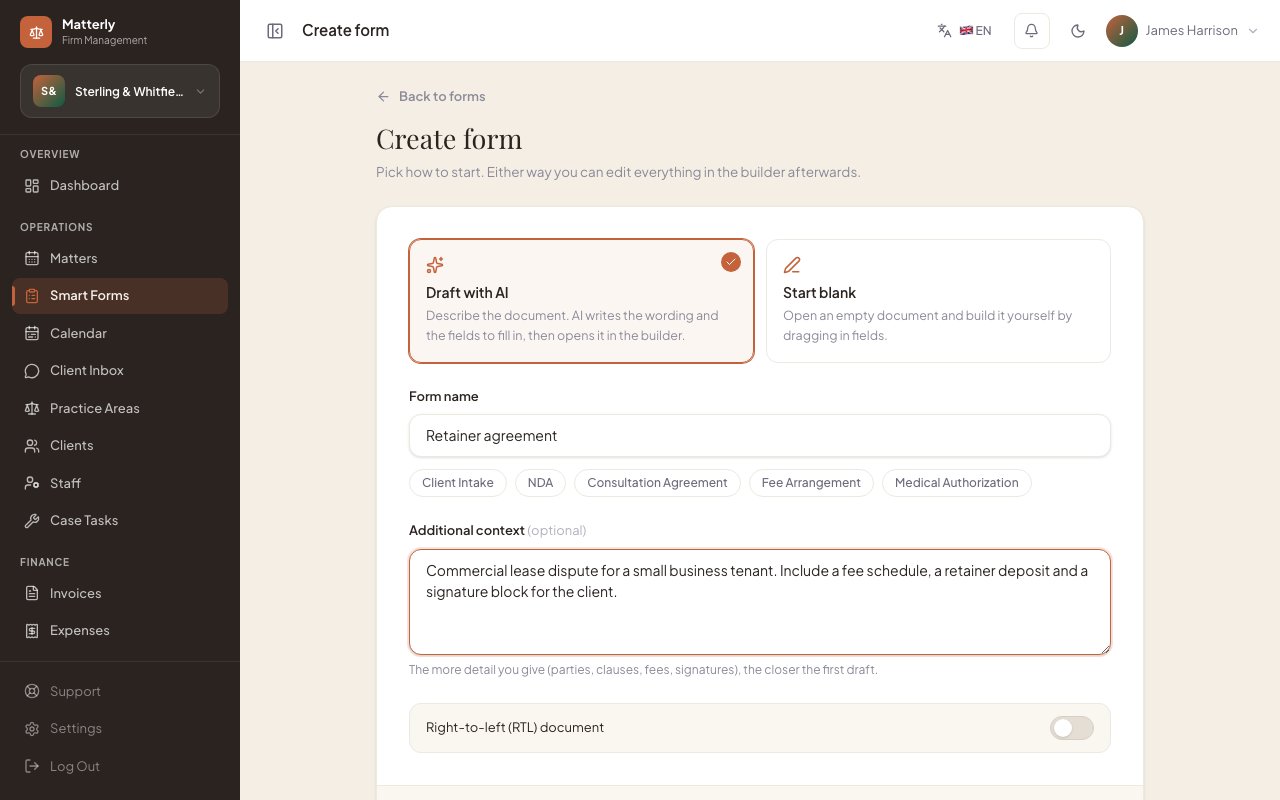
Tell LawDesk what document you need in plain English. It writes the draft and the boxes to fill in. Send a secure link, collect the answers and the signature, and the signed PDF is saved to the case.

  1. Describe it
    1

    Describe it

    Type what the document is for. AI writes the wording and the boxes the client fills in.

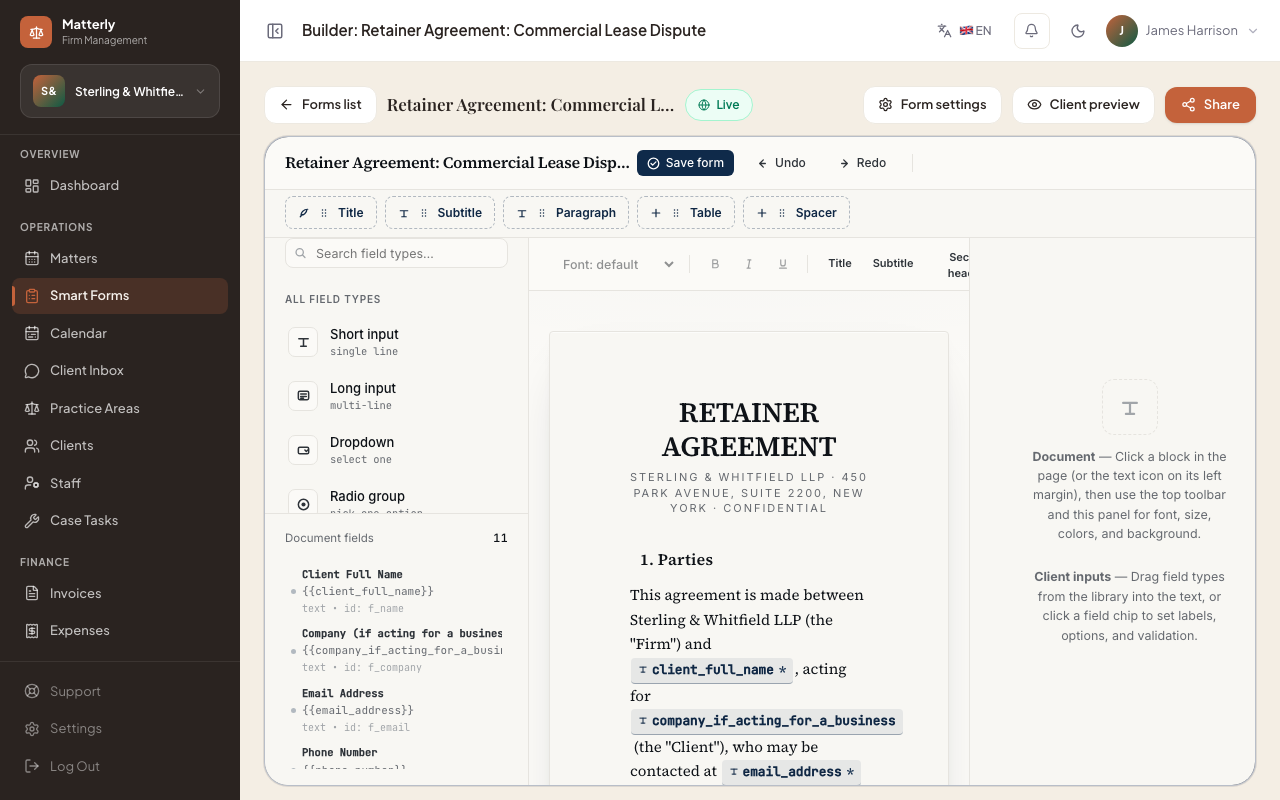
  2. Edit it
    2

    Edit it

    Change any clause, box or signer in the editor.

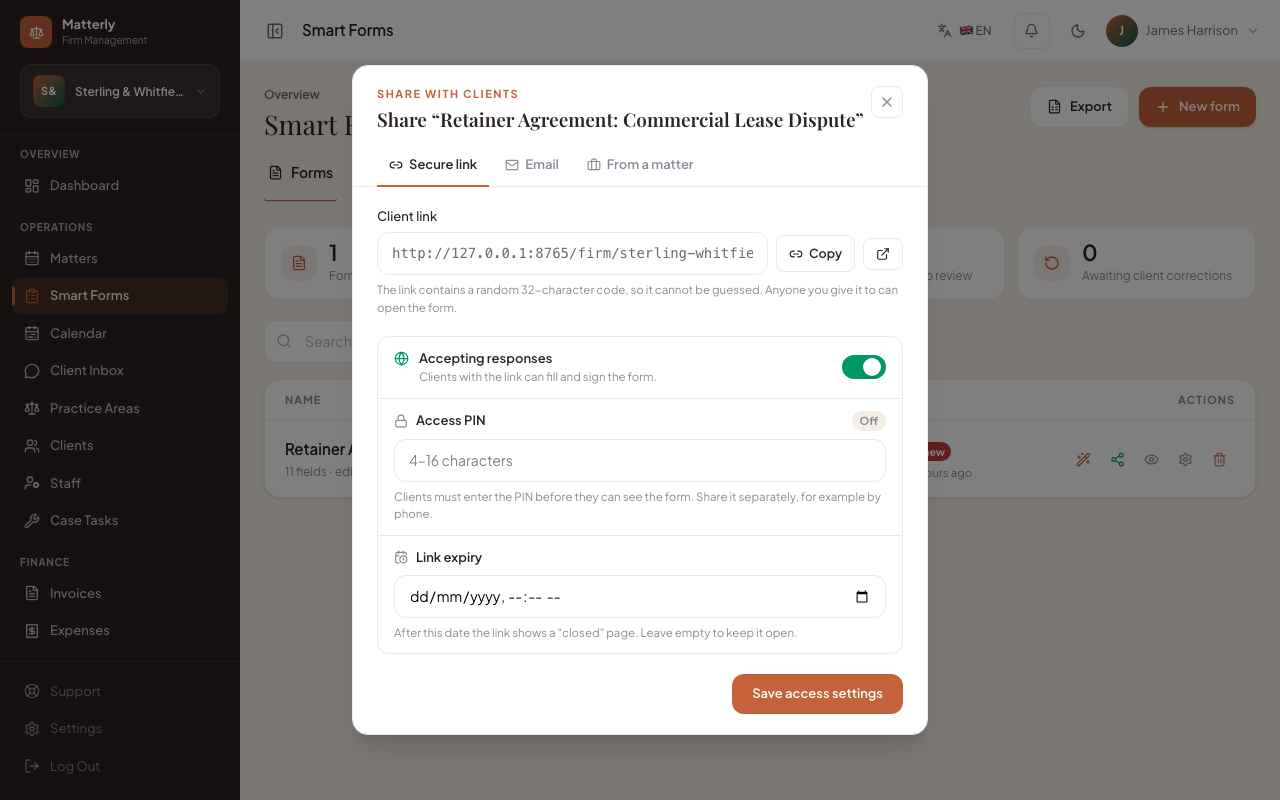
  3. Send a secure link
    3

    Send a secure link

    Send it from the case. Add a PIN and an end date if you want.

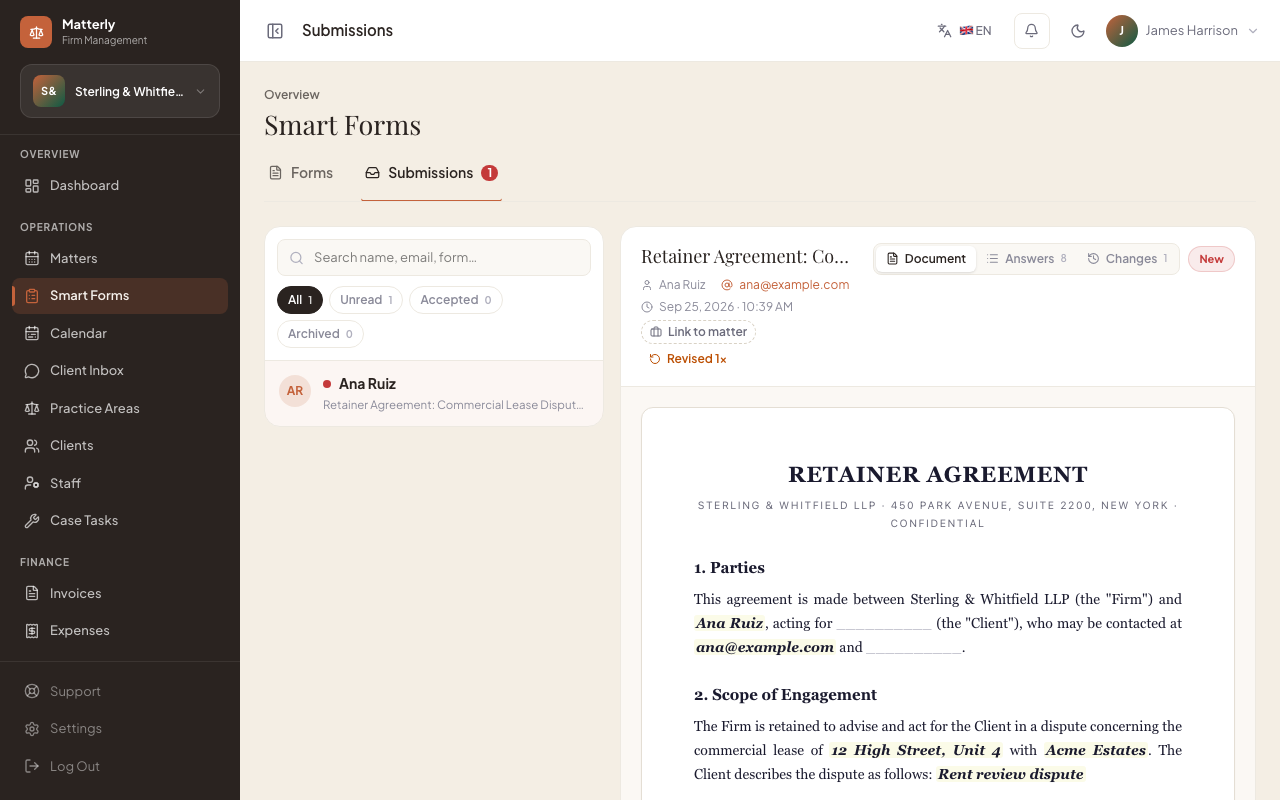
  4. Signed PDF on the case
    4

    Signed PDF on the case

    The answers and the signature come back as a PDF, saved to the case.
02
Payments & invoices

Get paid online

Clients can pay the consultation fee by card when they book, or pay at your office. Invoices, payments and balances stay with the case, in rupees.

  • Card payments through Stripe or PayPal
  • Or let clients pay at the office
  • Invoices and balances in LKR
03
AI assistants

AI does the first draft. You approve it.

Four AI assistants write replies to reviews, updates to clients, deadline plans and income notes. Nothing is sent until you say yes, unless you turn on auto-send.

  • Review, client, task and income assistants
  • Check or edit every draft before it goes out
  • Auto-send is off unless you turn it on
  • Full history and a daily spending limit
04
Website & WhatsApp

A website that books clients

AI builds a full website for your firm from a short description. The chat on your site and on WhatsApp answers questions, takes the client's details and books a consultation.

  • AI website, easy editor and SEO text
  • Books consultations from the chat
  • Your own domain and a client portal, by plan
05
Case file

The whole case file on one screen

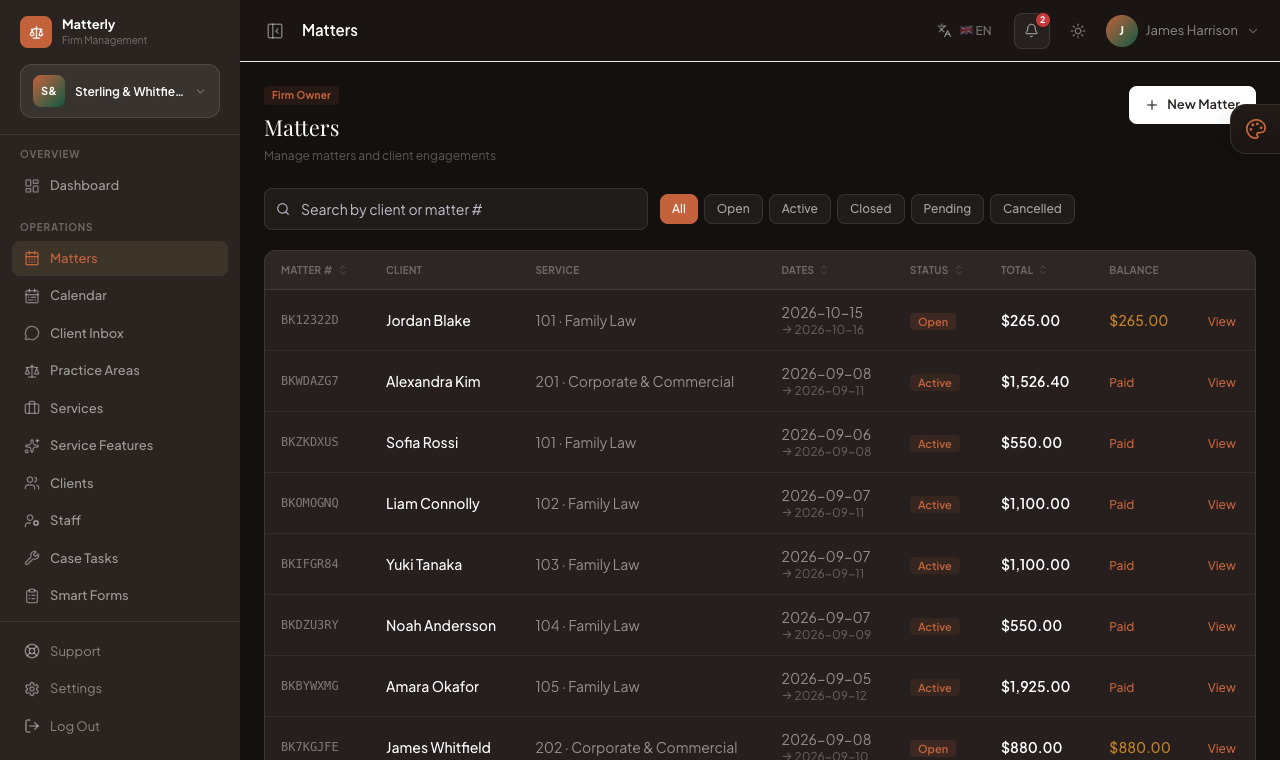
Tasks, fees, messages, forms, dates and history sit in tabs on each case. Each staff member only sees the tabs their role allows.

  • Six tabs on every case, with access control
  • Full history, newest first
  • Invoices, documents and deadlines in one place
See your whole day when you log in
Dashboard

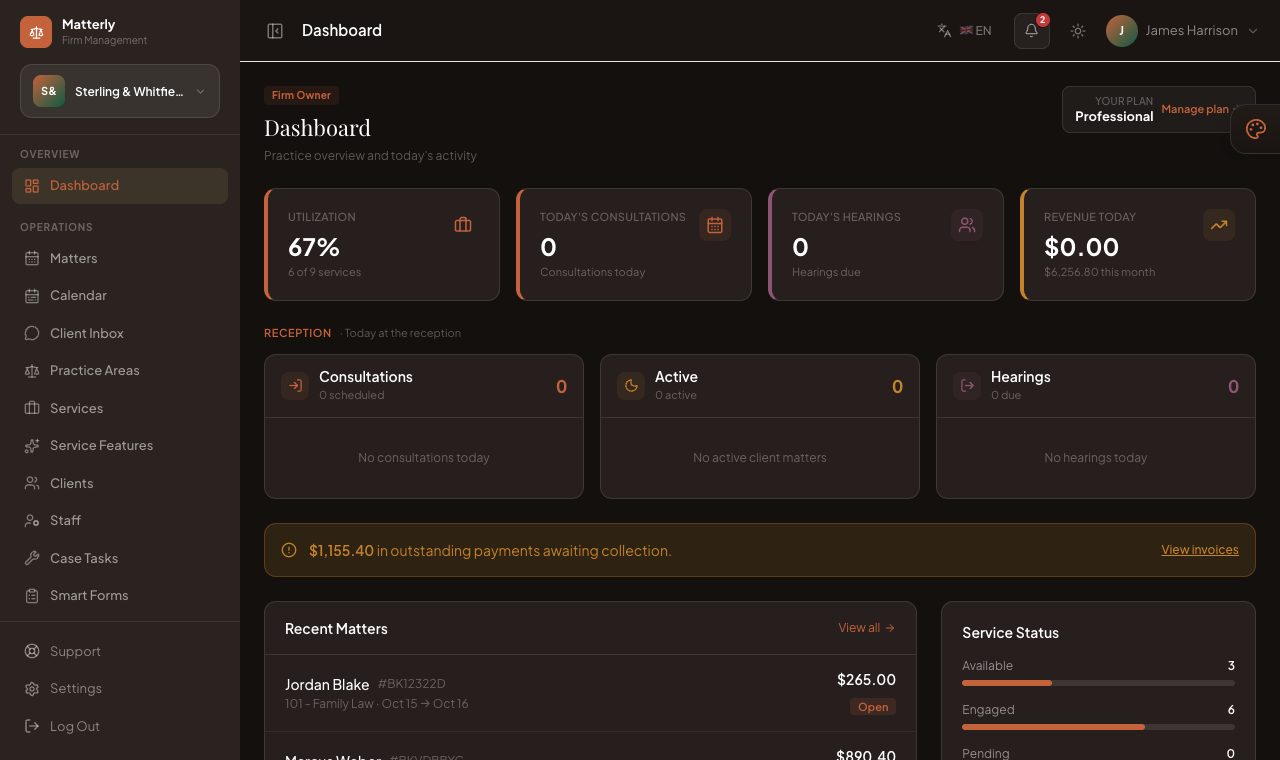
See your whole day when you log in

Today's consultations, upcoming court dates, active clients and income are on one screen.

  • Your day and your caseload
  • Tasks and deadlines
  • Invoices, payments and reports
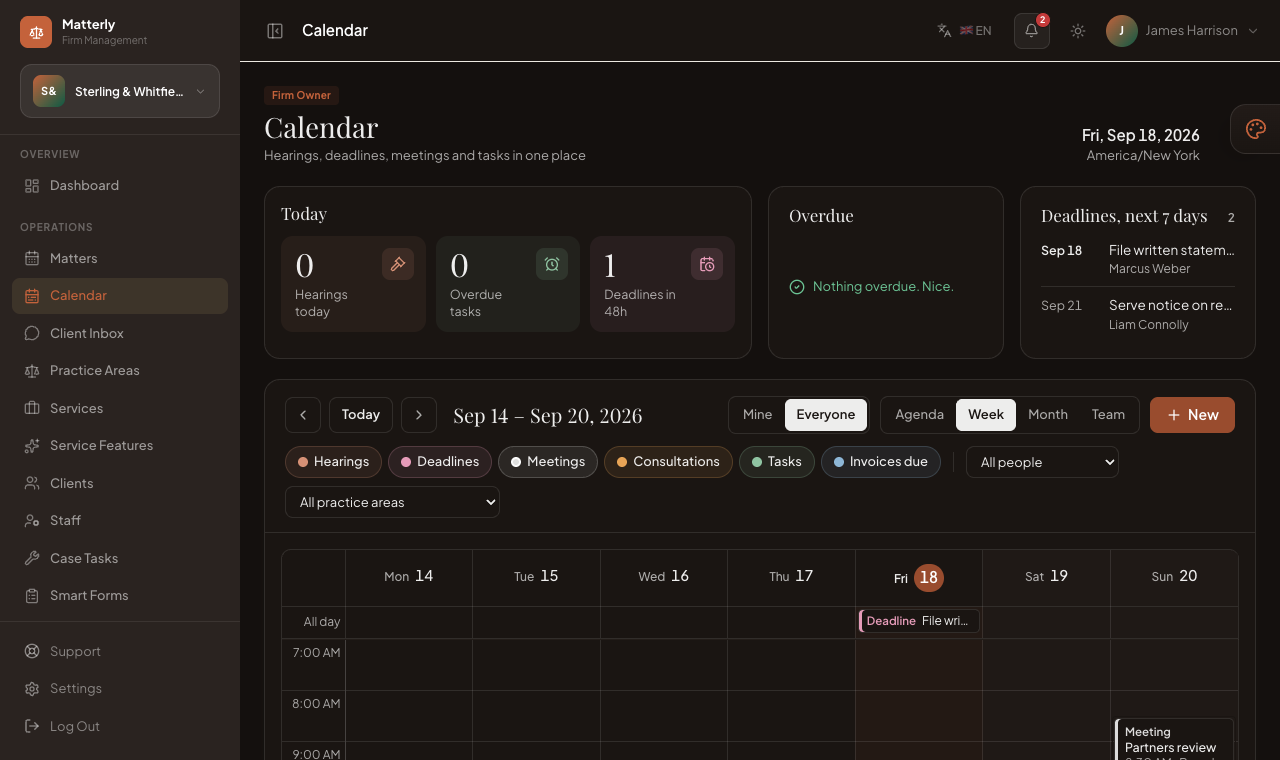
Every case and court date on one calendar
Cases

Every case and court date on one calendar

A colour-coded calendar shows what is open, what is coming up and what is due in the next two weeks.

  • One calendar for the whole firm
  • Practice areas and fees
  • Clients book consultations online
Clients, invoices and payments with the case
Clients & fees

Clients, invoices and payments with the case

Add clients, take advance fees, send invoices and record payments in rupees. Each case keeps its full history.

  • Client details and history
  • Invoices and receipts in LKR
  • Branded emails to clients
AI built in

AI tools that save you hours

15 tools for website text, translation, fee suggestions, client replies and more. The chat assistant can also book consultations on your website and on WhatsApp.

Website builder

Writes a full firm website from a short description.

Section writer

Rewrites one part of a page when you ask.

SEO writer

Page titles and descriptions for Google.

Translation

Translates your website into your other languages, such as Sinhala.

Practice area text

Simple descriptions of each area of law you handle.

Smart Forms

Writes a document clients can sign, from one sentence.

Theme ideas

Suggests colours and fonts that suit your firm.

Email writer

Confirmations, client updates and newsletters.

Review replies

Polite replies to client reviews, in your voice.

Review summary

Shows what clients like and what to improve.

Marketing writer

Social media posts, ads and blog articles.

Fee advisor

Suggests fees from the practice area, dates and your workload.

Income summary

Your caseload and income explained in plain words.

Ask your data

Ask a question about your firm's numbers and get an answer.

Chat assistant

Answers client questions and books consultations on your website and WhatsApp.

Everything included

What your firm gets

Case management, billing, a website builder and AI tools in one place. Some features depend on your plan. AI tools use your monthly AI credits.

Case management

  • Case board and stages
  • Cases and calendar
  • Your own case fields (court, case no.)
  • Client details and tasks
  • Invoices and payments
  • Expenses and reports

Clients & website

  • Drag-and-drop website builder
  • Online consultation booking
  • AI chat on your website and WhatsApp
  • Two-way SMS with clients
  • Your own domain
  • Reviews and email newsletters

AI tools

  • Website and text writer
  • Smart Forms and e-signatures
  • Fee suggestions
  • Review and email writer
  • Income summary
  • Chat assistant that knows your firm

Team & account

  • Staff roles and access
  • Client portal
  • AI approval inbox
  • English and Sinhala, prices in LKR
  • Online subscription billing
  • Built-in support tickets
Pricing

Simple prices in rupees

Start small and move up when you need more practice areas, staff or AI credits. No contract. Turn off auto-renewal at any time.

Pay yearly and get 2 months free
Starter

For solo lawyers and small chambers

Rs.8,900/month
  • 20 practice areas
  • 3 staff users
  • 200 AI credits a month
  • Website builder
  • AI tools
Start free trial
Enterprise

For large and multi-office firms

Rs.59,900/month
  • Unlimited practice areas
  • Unlimited staff users
  • Unlimited AI credits a month
  • Website builder
  • AI tools
  • WhatsApp chat
  • Client portal
  • Your own domain
  • Priority support
  • API access
Start free trial

Need a plan for a large firm or many branches? Contact us after you sign up.

FAQ

Questions lawyers ask

Can't find your answer? Send us a message.

What is LawDesk?

LawDesk is online software for law firms and attorneys-at-law in Sri Lanka. It keeps your cases, clients, court dates, documents and fees in one place, and gives your firm a website that books clients.

Is LawDesk made for lawyers in Sri Lanka?

Yes. Prices are in Sri Lankan rupees (LKR), new firms use Sri Lanka time, and the site is in English and Sinhala. You can add the court and case number to each case.

Who can see our firm's data?

Only your firm. Your cases, clients and documents are kept separate from every other firm. Each staff member only sees what their role allows.

Can my whole team use it?

Yes. Add partners, junior lawyers, clerks and front office staff, each with their own access. The number of staff users depends on your plan.

How do clients pay?

Clients can pay online by card through Stripe or PayPal, if your firm has an account, or pay at your office. Invoices and receipts are in rupees.

Can our website be in Sinhala?

Yes. Your firm website can have more than one language. The AI translation tool drafts the Sinhala version of your pages, and you can check and edit it before you publish.

Can clients contact us on WhatsApp?

Yes, on plans with WhatsApp chat. The chat assistant answers common questions and books consultations on your website and on WhatsApp.

How do the AI tools work?

They use the monthly AI credits that come with your plan. You can always see your balance. AI assistant drafts wait for your approval unless you turn on auto-send.

How long does setup take?

Most firms are ready in an afternoon. Sign up, add your practice areas, fees and staff, then publish a website from a design or an AI draft.

Try LawDesk with your own firm.

Add your practice areas, publish your website and see how the AI tools fit your work. No credit card needed.